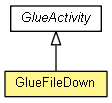
com.poscoict.glueframework.biz.activity
Class GlueFileDown
java.lang.Object
 com.poscoict.glueframework.biz.activity.GlueActivity<GlueContext>
com.poscoict.glueframework.biz.activity.GlueFileDown
com.poscoict.glueframework.biz.activity.GlueActivity<GlueContext>
com.poscoict.glueframework.biz.activity.GlueFileDown
public class GlueFileDown
- extends GlueActivity<GlueContext>
FileDown Activity. GlueFileDown Class는 File을 Download 하는 Class이다.
 사용 예
 <activity name="FileDown" class="com.poscoict.glueframework.biz.activity.GlueFileDown">
     <transition name="success" value="end" />
     <property name="file-upload-path" value="D:\freeedom" />
     <property name="result-key" value="downfile"/>
     <property name="is-real-path" value="true" />
     <property name="file-name-key" value="fileName" />
 </activity>

 Property 설정
 - file-upload-path : File이 저장된 Directory Path. (필수)

 - file-name-key : 화면으로부터 입력된 Download할 Input ID(Key) (File Name이 아니라 Input ID임)

 - is-real-path : true/false. 절대경로인지

 - result-key : File을 저장할 Key값
      File file =(File)ctx.get("downfile");

 기타
 1. 화면에서 Download를 Link로 하거나 다음과 같이 Download Service를 화면에서 호출
 <a href=\"javascript:openWindow('down.do?ServiceName=file-service&download=1&fileName=aaa.txt')')\">aaa.txt </a>

 2. FileSave Activity 실행

 3. Download jsp/Servlet 호출
 - Download 예제
 GlueContext ctx = (GlueContext)request.getAttribute(GlueWebConstants.CONTEXT);
 if(ctx != null)
 {
     File file = (File)ctx.get("downfile");
     if(file != null && file.exists() )
     {
         //String encodeFileName = java.net.URLEncoder.encode(file.getName(),"UTF-8");
         //공백이 "+"로 표시됨.
         String encodeFileName = new String(file.getName().getBytes("euc-kr"),"8859_1");
         response.setContentType("application/octet-stream");
         response.setHeader("Content-Disposition","attachment; filename=\""+encodeFileName + "\";");
         byte[] temp = new byte[1024];

         FileInputStream filestream = new FileInputStream(file);
         OutputStream outStream = response.getOutputStream();
         while(filestream.read(temp) != -1)
         {
             outStream.write(temp);
             outStream.flush();
         }
         outStream.close();
     }else {
 %>
 <script language="JavaScript">
 <!-- alert("The File not exist!.\n\n");
 history.back(); //-->
 </script><%
     }
 }
| Methods inherited from class com.poscoict.glueframework.biz.activity.GlueActivity |
commitTransaction, getDao, getEventList, getName, getProperty, getPropertyNames, getTransition, rollbackTransaction, setEventList, setName, setProperty, setTransition |
| Methods inherited from class java.lang.Object |
clone, equals, finalize, getClass, hashCode, notify, notifyAll, toString, wait, wait, wait |
GlueFileDown
public GlueFileDown()
runActivity
public String runActivity(GlueContext ctx)
- Description copied from class:
GlueActivity
- Sub Class에서 반드시 구현하여야 하는 Abstract Method 이며 이 Method는 F/W에서 호출한다. 결과 값은 GlueContext에 담아서 다음 Activity 또는 F/W에 전달하게 된다. 필요한 모든 Data는
GlueContext에서 호출하여 사용하게 된다.
- Specified by:
runActivity in class GlueActivity<GlueContext>
- Parameters:
ctx - GlueContext
- Returns:
- String 정상적이면 "success"를 Return 하고 비정상 처리를 원하면 "failure"를 Return 한다.
 예)
 <transition name="success" value="BizLogic"/>
 <transition name="failure" value="ErrorHandle"/>
 ==> return "success"이면 BizLogic Activity 를 실행함.
Copyright © 2013–2014 POSCO ICT SW제품기술팀. All rights reserved.